> ## Documentation Index
> Fetch the complete documentation index at: https://docs.evallo.app/llms.txt
> Use this file to discover all available pages before exploring further.
# Blink
Head over to the Share tab of your evallo and click on the Blink button to get the embed instructions specific to your evallo.
1. In the Blink Admin window, head over to `Content Studio > Hub`.
2. Click on the `Add Content > Form` button.
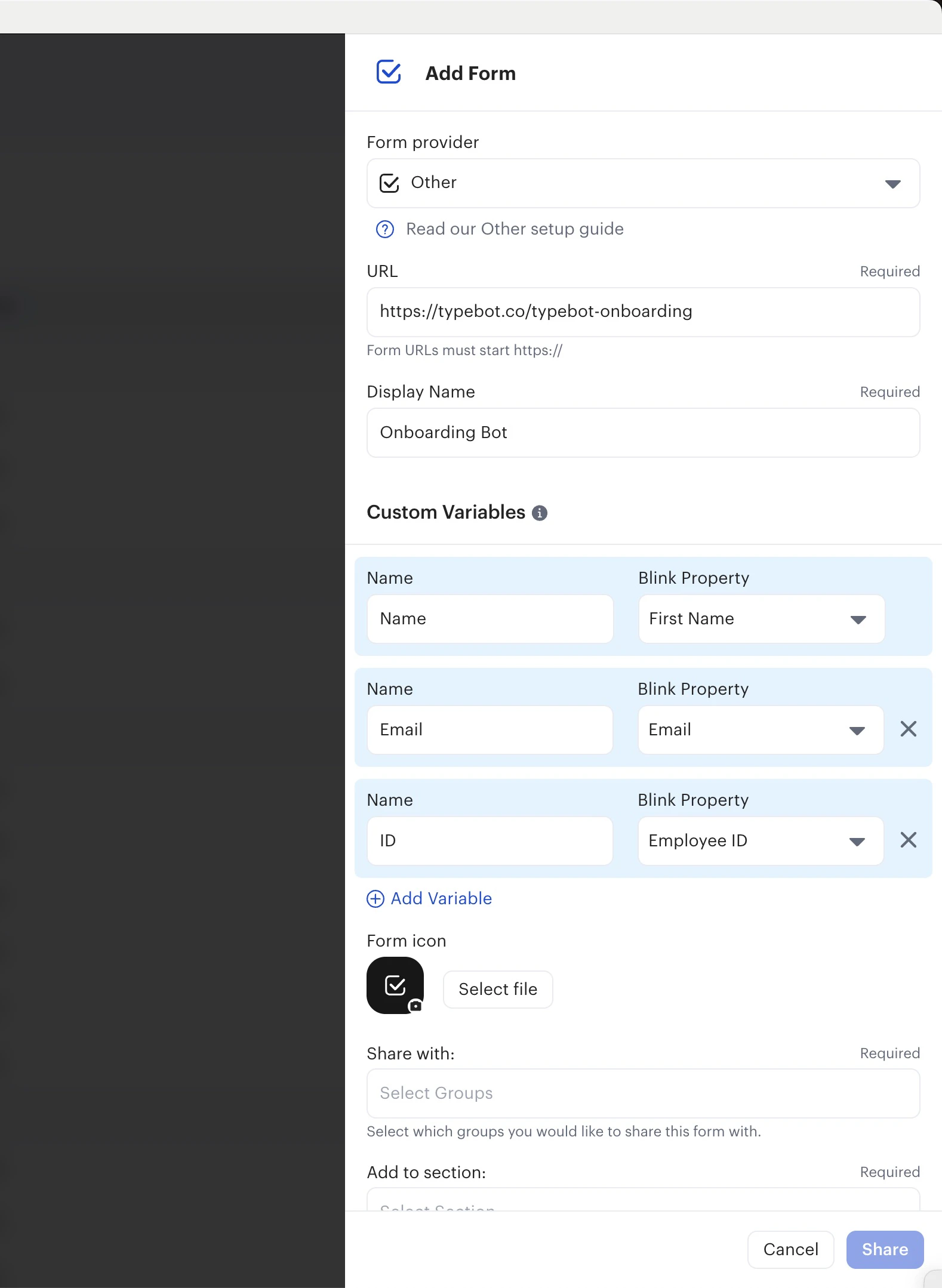
3. For the form provider, select `Other`.
4. Paste your evallo URL and customize the look and feel of this new form.
5. You can optionally add Custom Variables meaning that you can [prefill the variables](/editor/variables#prefilled-variables) in your evallo with the respondant's Blink data. For example you can prefill the `Name` evallo variable with the `First Name` Blink variable.
 This documentation is built and hosted on [Mintlify](https://mintlify.com), a developer documentation platform.