> ## Documentation Index
> Fetch the complete documentation index at: https://docs.evallo.app/llms.txt
> Use this file to discover all available pages before exploring further.
# Date
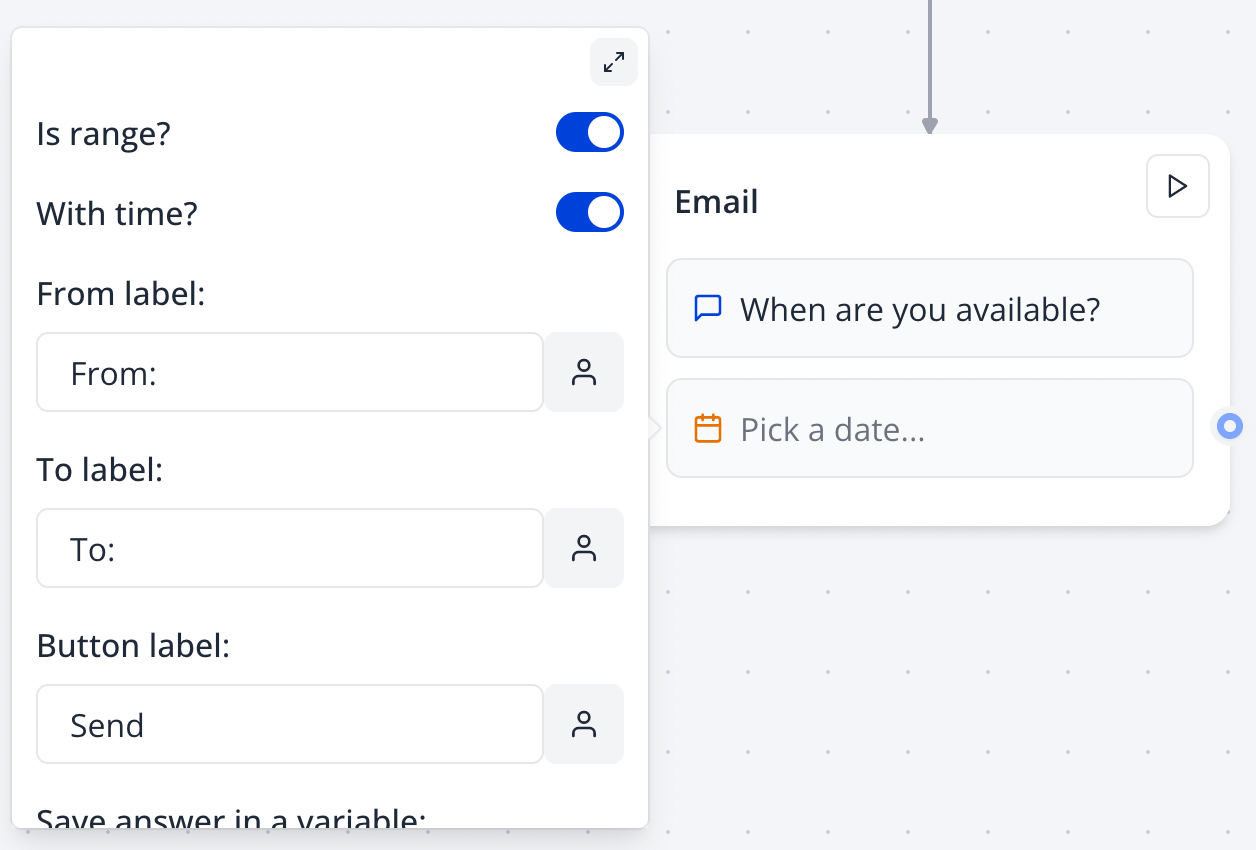
The Date input node allows you to ask your user for a date. You can ask for a specific date or range and include time:
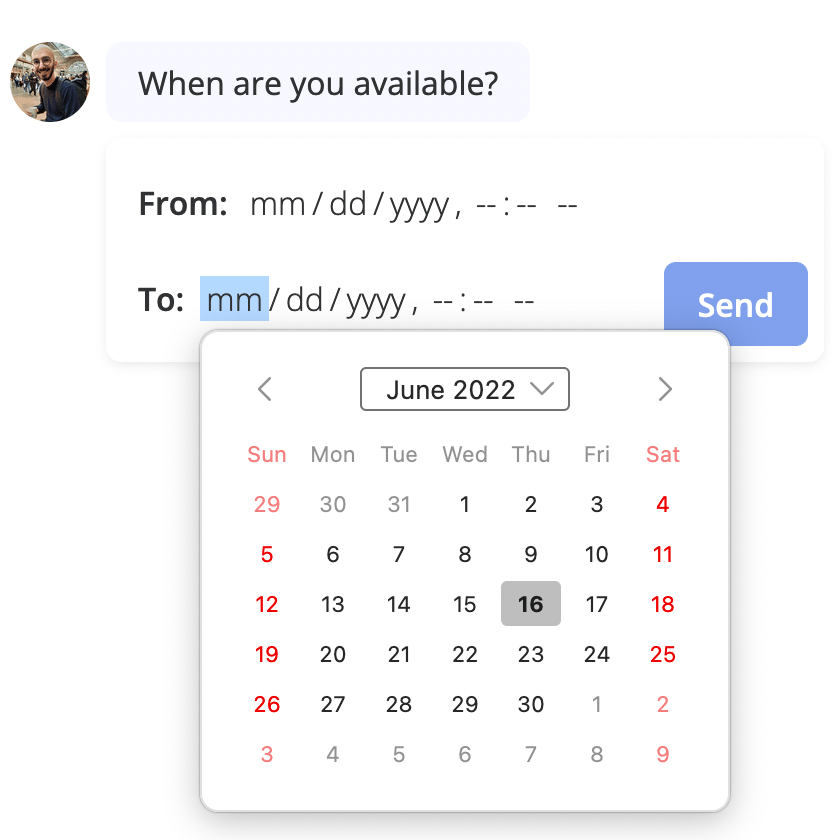
 The input will use the native date picker depending on the device and browser used to answer the evallo. For example on Firefox it looks like this:
 ## Format
The `Format` setting lets you customize the picked date format.
Here are some examples:
```text theme={null}
yyyy-MM-dd
yyyy-MM-dd HH:mm:ss
dd/MM/yy
dd/MM/yyyy HH:mm:ss
d.MM.yy
```
This documentation is built and hosted on [Mintlify](https://mintlify.com), a developer documentation platform.
## Format
The `Format` setting lets you customize the picked date format.
Here are some examples:
```text theme={null}
yyyy-MM-dd
yyyy-MM-dd HH:mm:ss
dd/MM/yy
dd/MM/yyyy HH:mm:ss
d.MM.yy
```
This documentation is built and hosted on [Mintlify](https://mintlify.com), a developer documentation platform.