> ## Documentation Index
> Fetch the complete documentation index at: https://docs.evallo.app/llms.txt
> Use this file to discover all available pages before exploring further.
# Add members and guests
There are several ways users can interact with a Evallo workspace:
* Admins: admins who can manage workspace settings, delete a workspace, and manage other admins, members, and guests.
* Members: People on your team who can create and edit evallos, but not edit settings or add members.
* Guests: People external to your team who you want to work with on specific evallos. They can be invited to individual evallos, but not an entire workspace. They can't be given workspace-wide access. They must be invited to individual evallos to view them.
## How to invite admins and members
In your workspace, click on the **Settings & Members** button and then the **Members** tab.
You will see your Workspace members list:
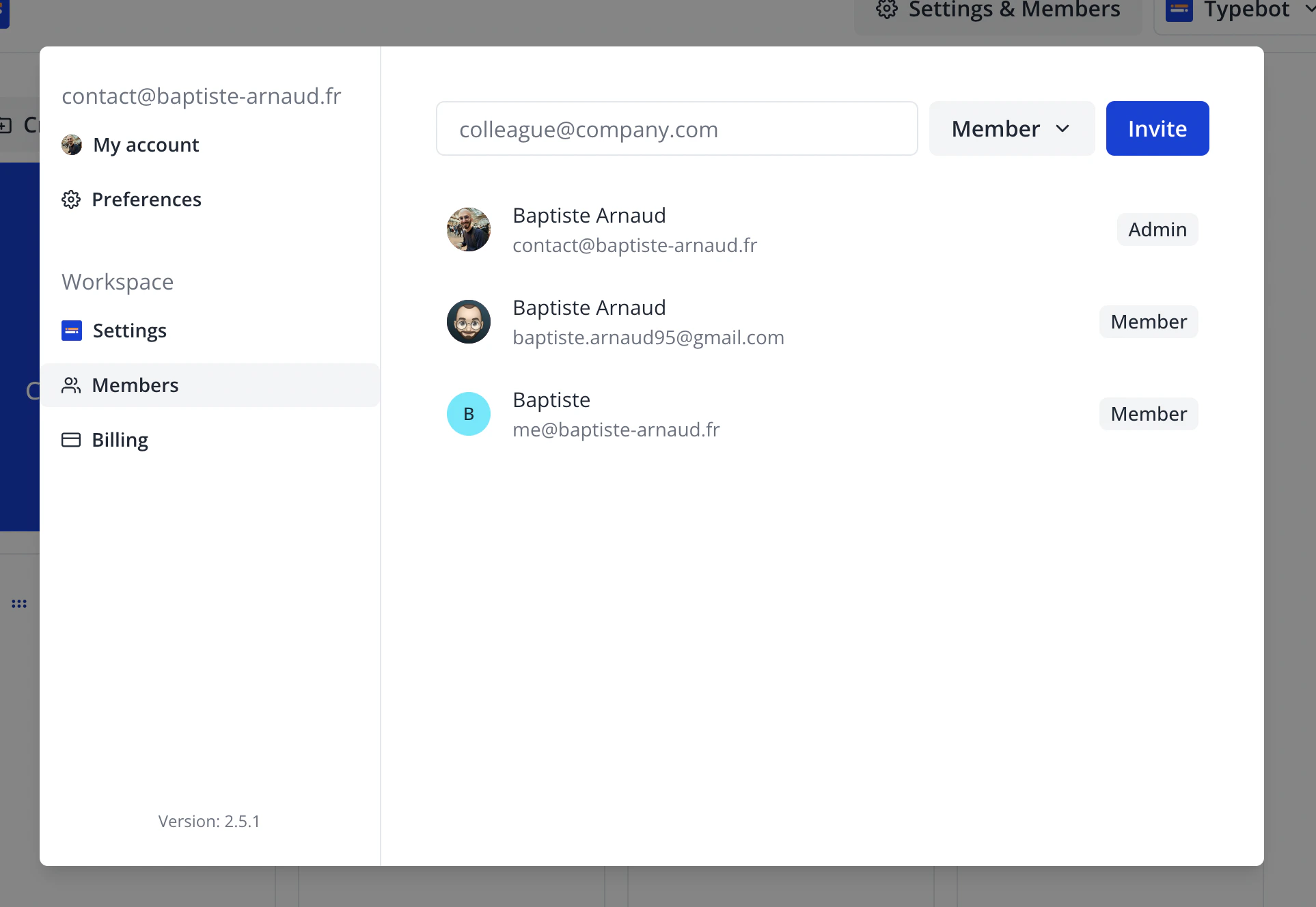 There you can invite new admins or members and set existing members as admins.
## How to invite guests
In your evallo, click on the **Invite users to collaborate** icon button.
You will see the guests list and who has access to this particular evallo.
There you can invite new admins or members and set existing members as admins.
## How to invite guests
In your evallo, click on the **Invite users to collaborate** icon button.
You will see the guests list and who has access to this particular evallo.
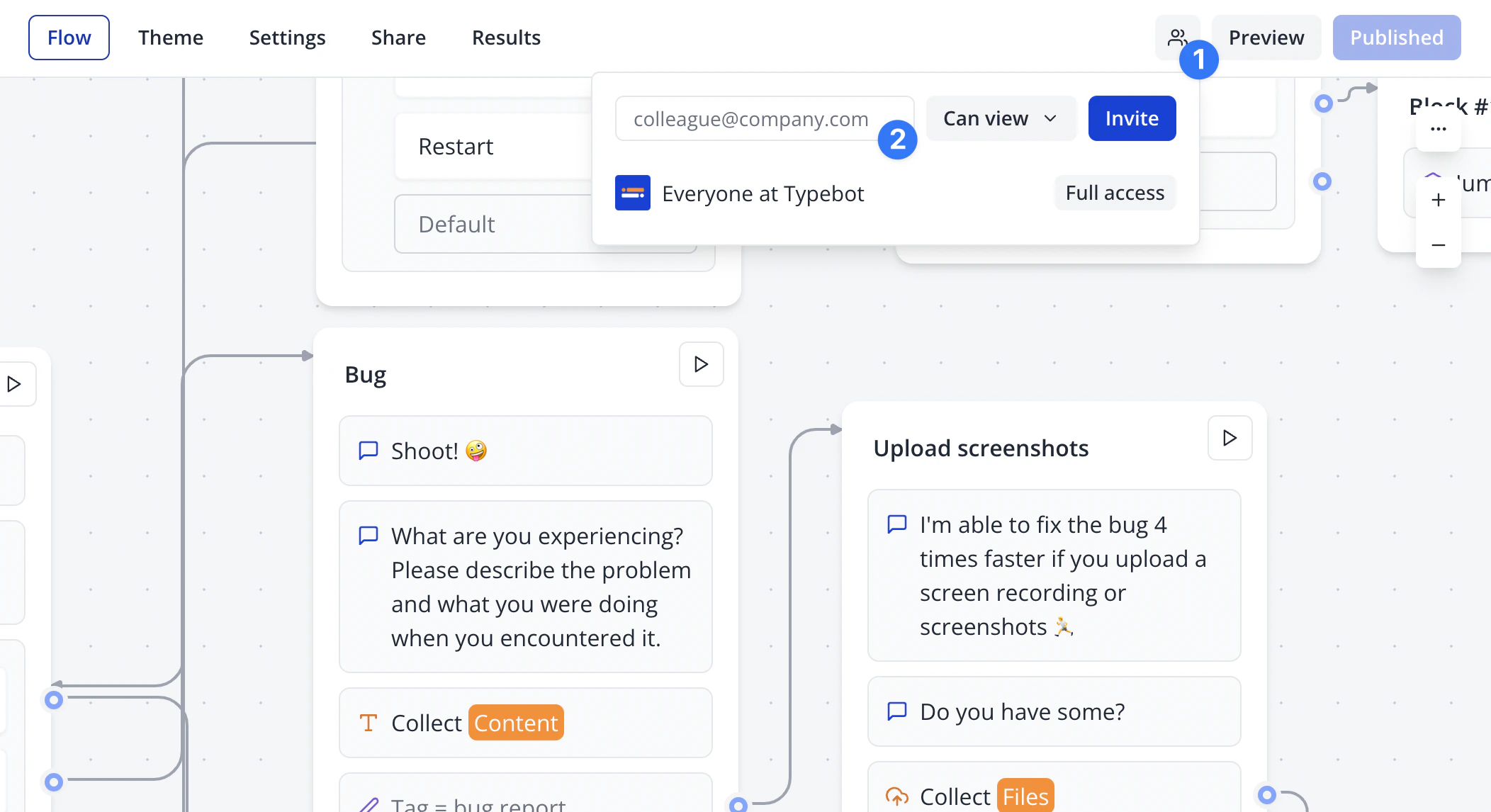 Guests can either:
* View the evallo: they will be able to view the flow and the results but they will not be able to modify the flow.
* Edit the evallo: they will be able to view **AND** edit the flow and the results
This documentation is built and hosted on [Mintlify](https://mintlify.com), a developer documentation platform.
Guests can either:
* View the evallo: they will be able to view the flow and the results but they will not be able to modify the flow.
* Edit the evallo: they will be able to view **AND** edit the flow and the results
This documentation is built and hosted on [Mintlify](https://mintlify.com), a developer documentation platform.